
One Restaurant Platform. From Counter Service to Full Service.
TableTurn brings ordering, tables, kitchen operations, payments, online ordering and guest tools together in one restaurant platform—so your team can work from fewer disconnected systems and keep service moving.
PPT Southeast helps determine whether TableTurn fits your restaurant, configure the right workflow, and coordinate the POS, payments and supporting technology around the way you actually operate.
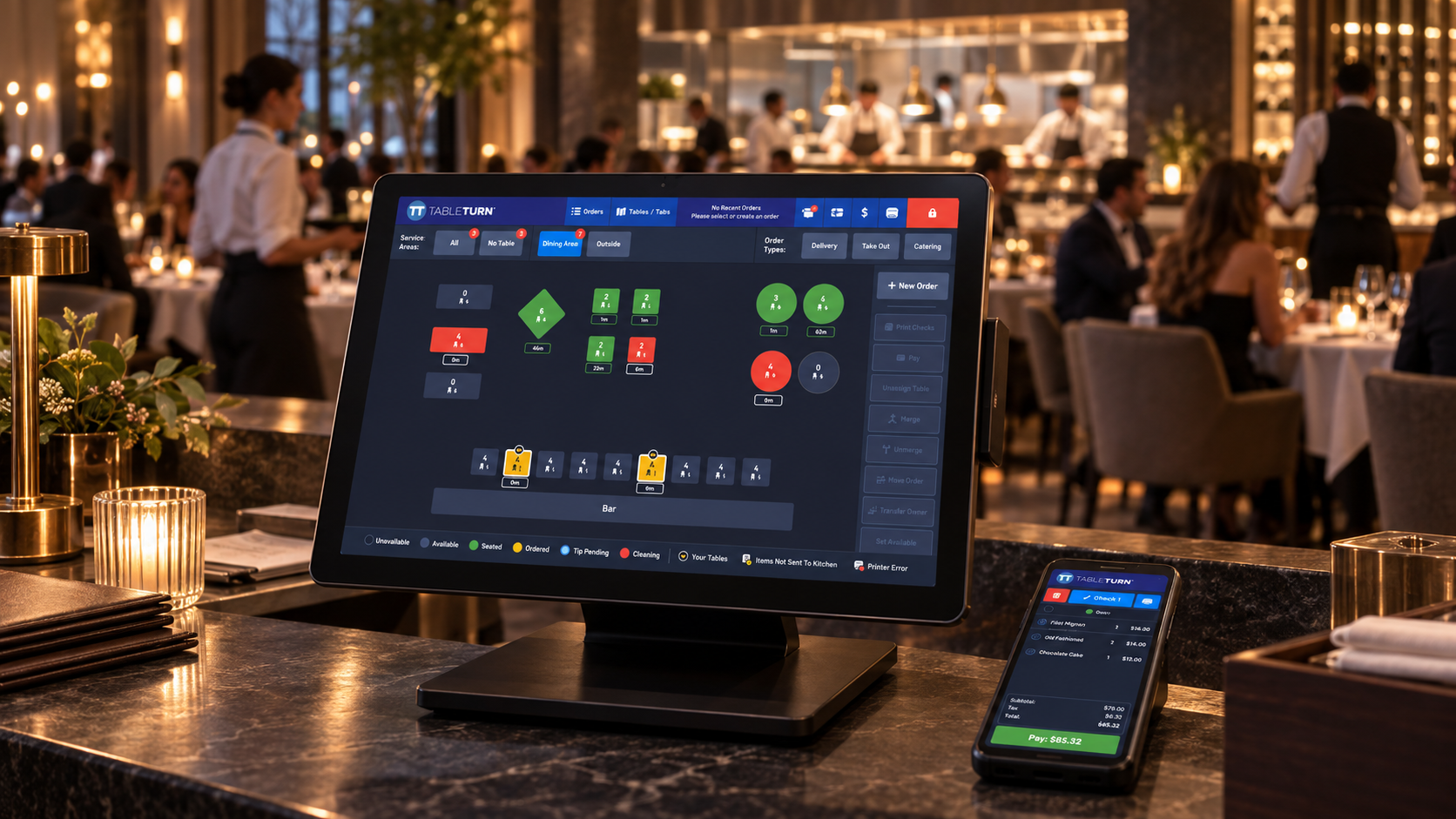
One Platform. Different Ways to Serve.
TableTurn adapts to different restaurant operating models from the same connected platform. Choose a workflow to see how it fits.
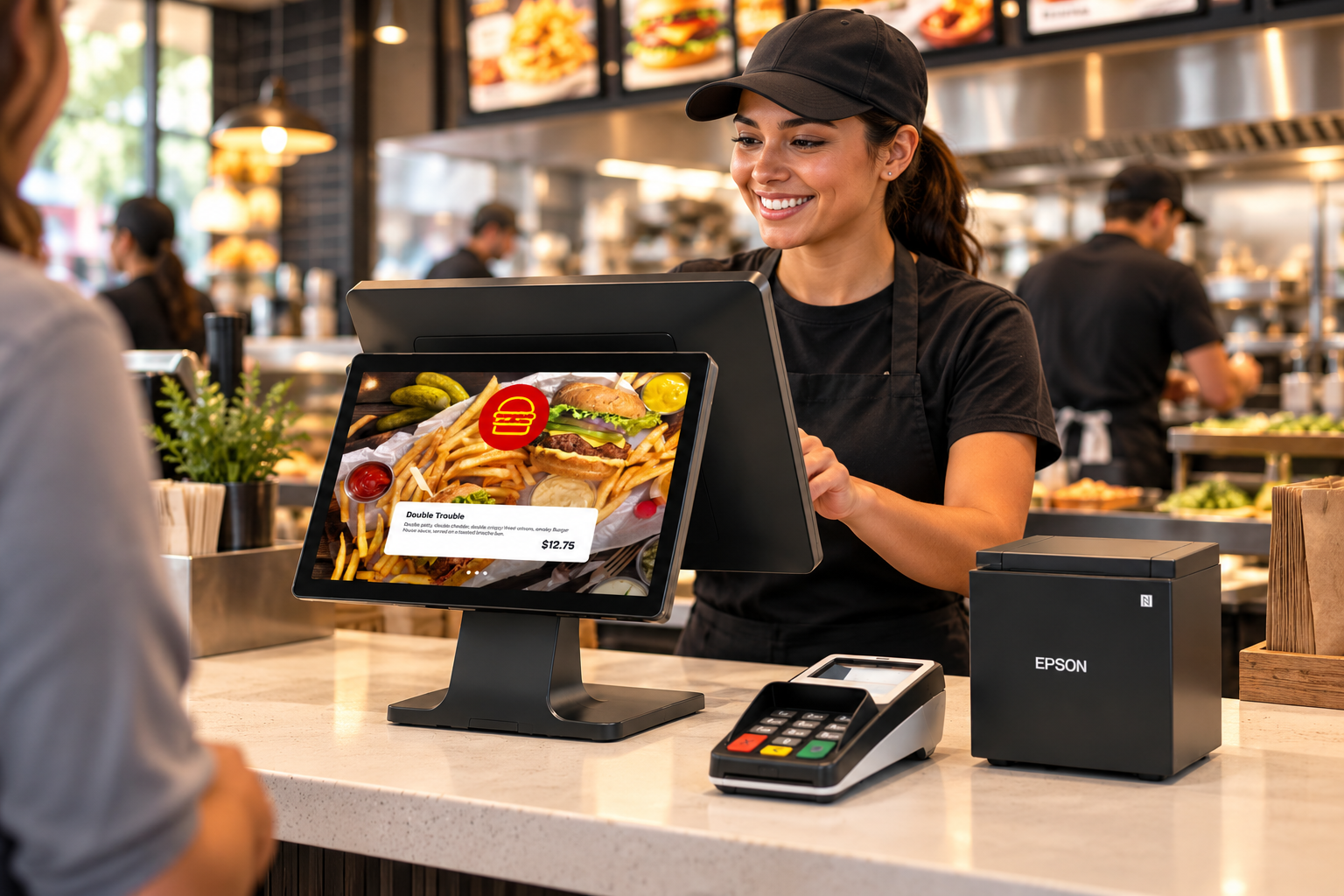
Counter-service and quick-service teams that need speed, customizable screens and digital ordering built in.
- Combos, meal deals & mix-and-match promotions
- Required modifiers, substitutions & guided choices
- Online orders routed into the prep queue
- Custom register layouts for faster staff training
TableTurn May Fit If You're Saying…
Recognize your own operational needs? These are the situations where a connected restaurant platform often makes sense.
“We need both counter and table service.”
Quick-service and full-service workflows from one platform.
“We want online ordering built in.”
First-party pickup ordering without a separate system.
“Our kitchen needs a real KDS.”
Route orders to kitchen stations with a connected KDS.
“We want table and floor management.”
Visual floor plans and open checks, no separate system.
“We want loyalty and gift cards without another platform.”
Guest-retention tools inside the same platform.
“We're growing beyond one location.”
Scale across locations while staying centralized.
Your Restaurant Shouldn't Need a Stack of Disconnected Systems to Run One Shift
TableTurn combines POS, kitchen, online ordering, reservations, loyalty, gift cards, reporting and payments in one connected platform.
Dine-in, pickup, walk-up and digital orders from the core POS.
Orders routed to kitchen stations with a connected KDS.
Online ordering, QR ordering and reservations in one environment.
Integrated payments, tips and reconciliation connected to the order.
Reporting, loyalty, gift cards and management in one platform.
Dine-in, pickup, walk-up and digital orders from the core POS.
Orders routed to kitchen stations with a connected KDS.
Online ordering, QR ordering and reservations in one environment.
Integrated payments, tips and reconciliation connected to the order.
Reporting, loyalty, gift cards and management in one platform.
The goal isn't more software. It's fewer disconnected systems to manage.
Keep Every Line, Order and Shift Moving
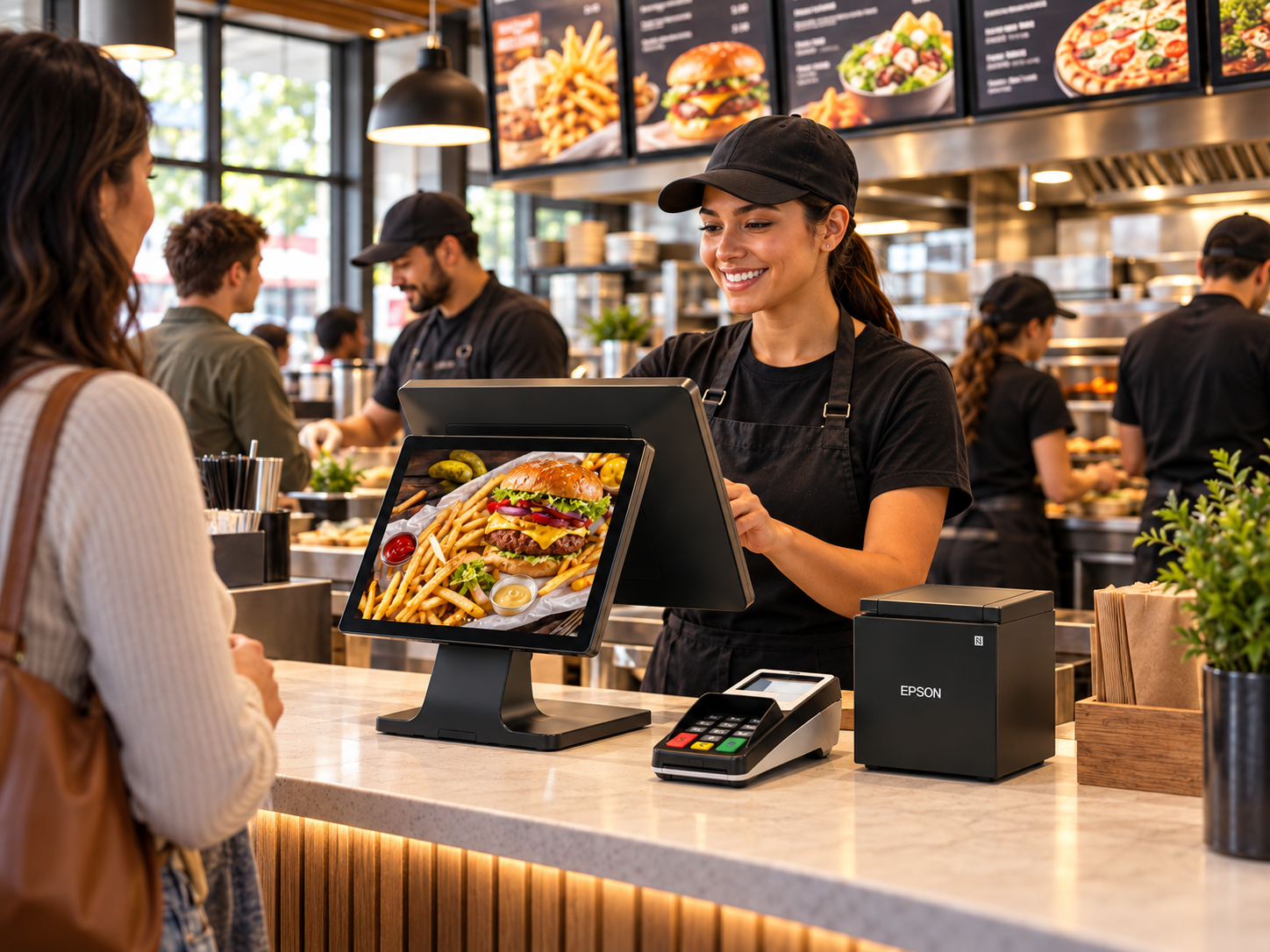
TableTurn gives quick-service teams customizable screens, quick-access buttons, flexible modifier workflows and built-in digital ordering tools.
Combos & Meal Deals
Manage combo meals, bundles, BOGO offers, mix-and-match deals and recurring promotions.
Required Choices & Modifiers
Guide staff through required selections such as size, side, drink, sauce or protein.
Upcharges & Substitutions
Add changes and special requests without restarting the order.
Online Orders Into the Prep Queue
Keep digital orders flowing into the restaurant workflow automatically.
Customizable Register Screens
Put bestsellers and common actions where staff can reach them quickly.
Faster Training
Use familiar layouts and guided workflows to reduce the learning curve for new employees.
Control the Pace of the Dining Room
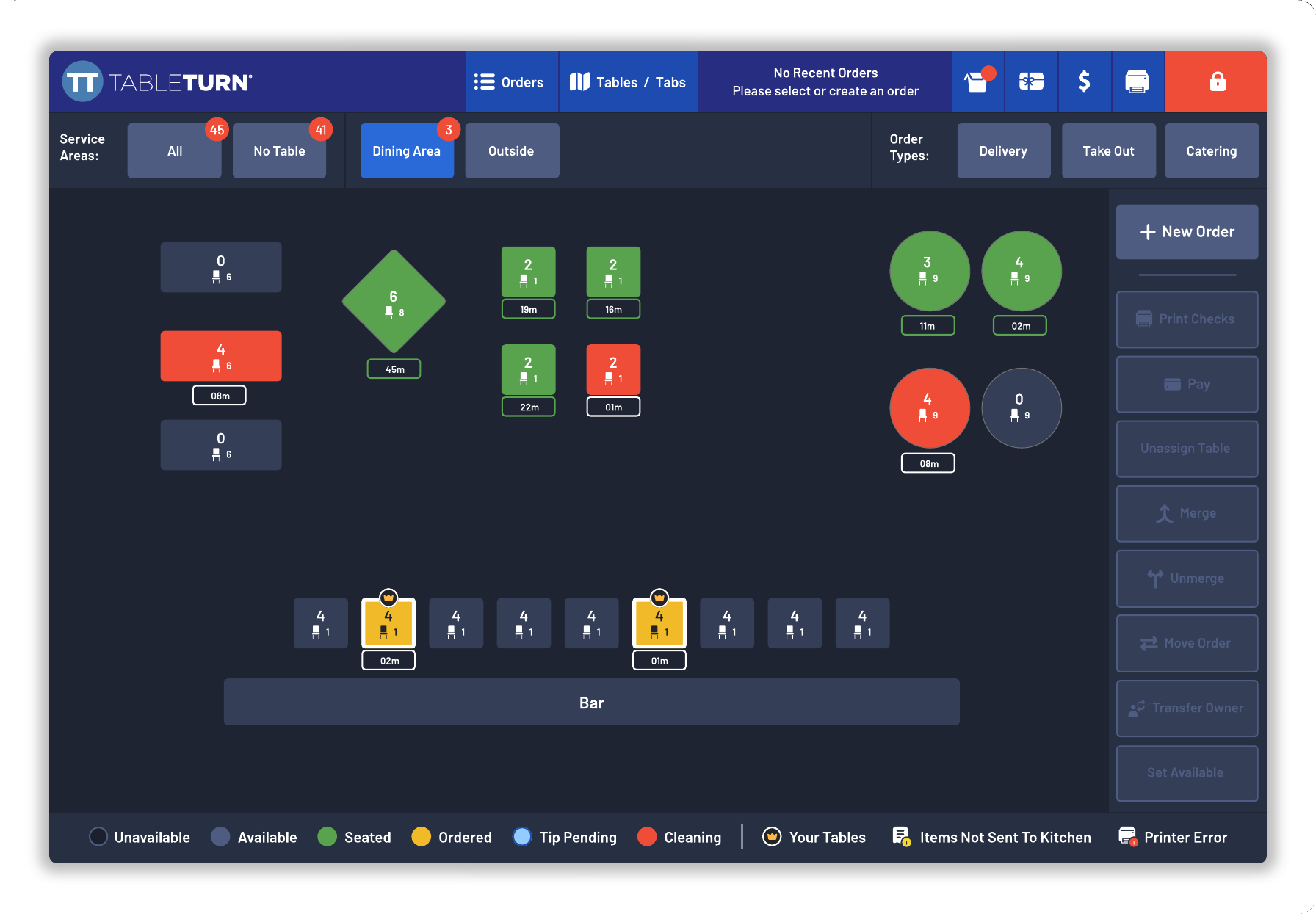
TableTurn gives full-service teams tools to manage tables, courses, guest details and check flow while keeping the front of house and kitchen aligned.
Floor Plan & Table Status
Use custom floor plans, multi-zone layouts and color-coded table status.
Guest & Allergy Notes
Keep dietary needs, preferences and table notes visible to staff.
Better Front-of-House Awareness
Help staff understand the state of the room without relying on disconnected systems.
Keep Every Tab, Round and Rush Moving
TableTurn gives bartenders the speed and control to manage tabs, repeat rounds, specials and end-of-shift activity without letting the POS slow down service.
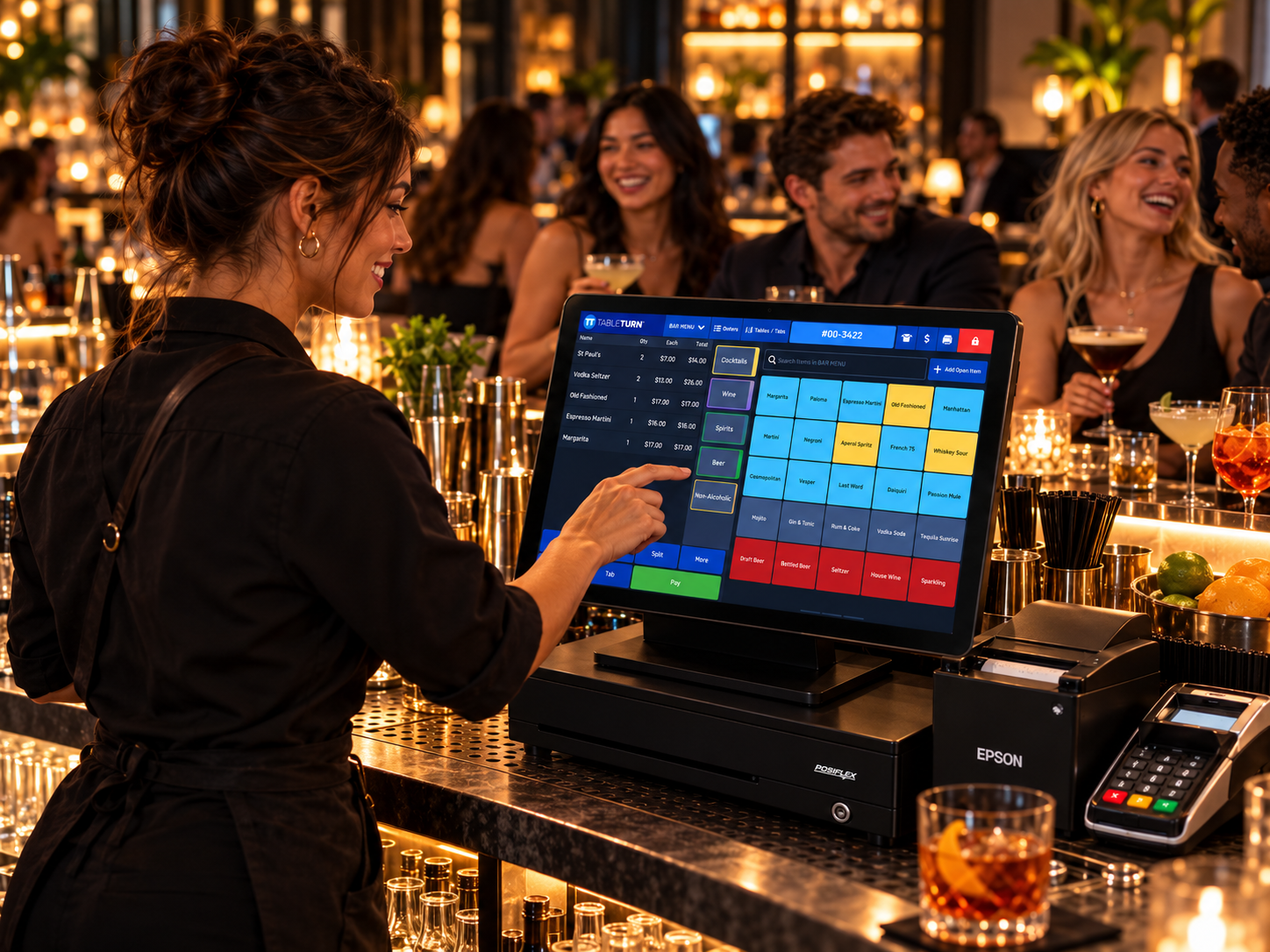
Keep Open Tabs Organized When the Bar Gets Busy
Pre-Authorize and Keep Service Moving
Open or pre-authorize guest tabs without forcing bartenders through a lengthy checkout process.
Find Tabs Fast
Recall open tabs by guest name so staff can get back to serving instead of searching.
Keep Multiple Rounds Together
Maintain repeated orders and rounds on the same guest tab as the visit continues.
Fast Group Checkout
Split checks when needed without rebuilding the order or disrupting the service flow.
Pizza Without Modifier Chaos
TableTurn's visual pizza builder helps staff enter complex custom pizzas quickly, price them accurately and send clear instructions to the kitchen.
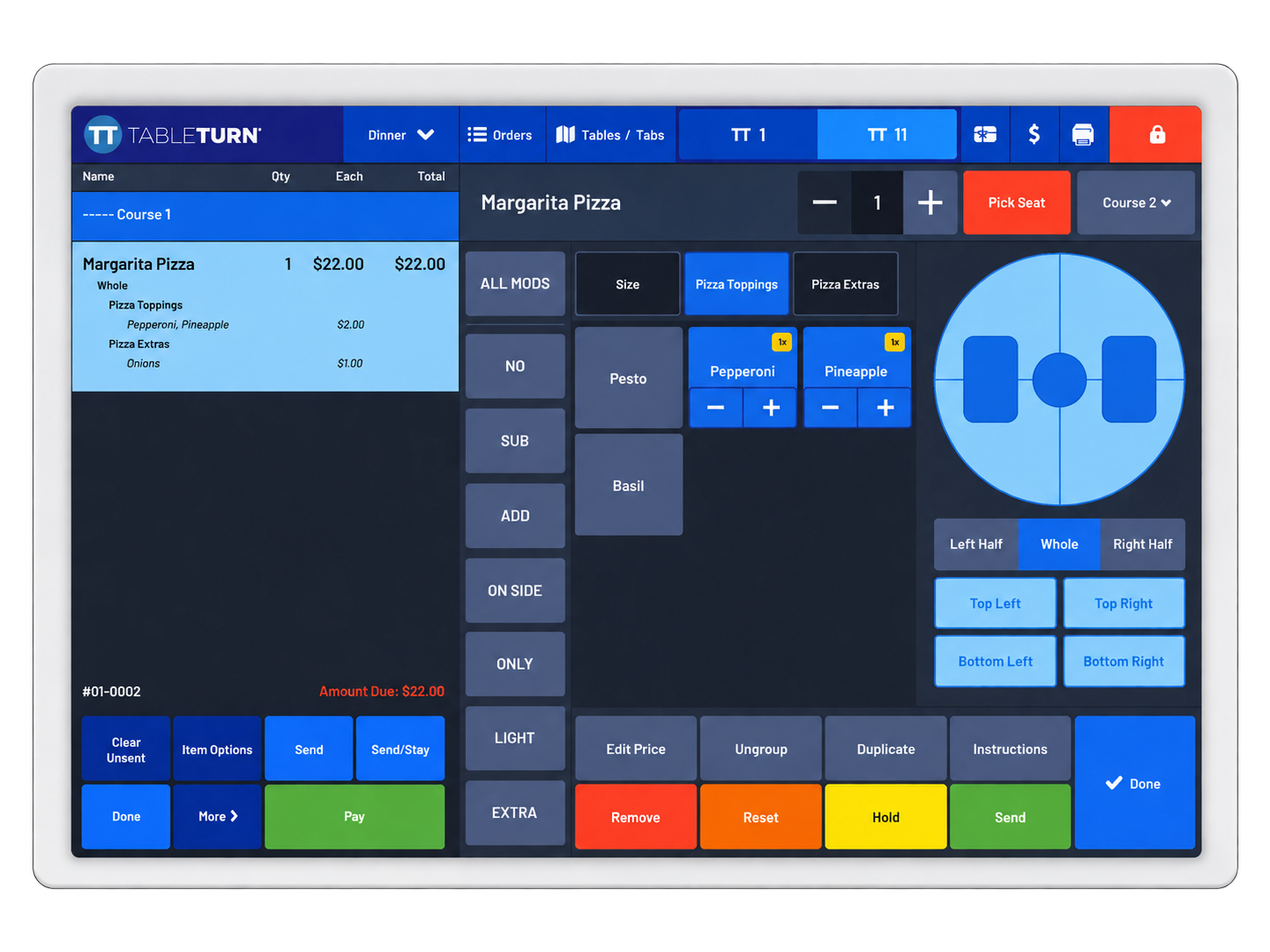
Whole, Half & Quarter Pizzas
Build pizzas visually by portion.
Automatic Topping Pricing
Apply topping pricing based on pizza size and selected portion.
Crusts, Sauces & Size Changes
Handle modifications without rebuilding the order.
Complex Modifiers Made Clear
Keep required choices, substitutions and extras organized.
Orders Should Move From the Guest to the Kitchen Without Getting Lost in the Middle
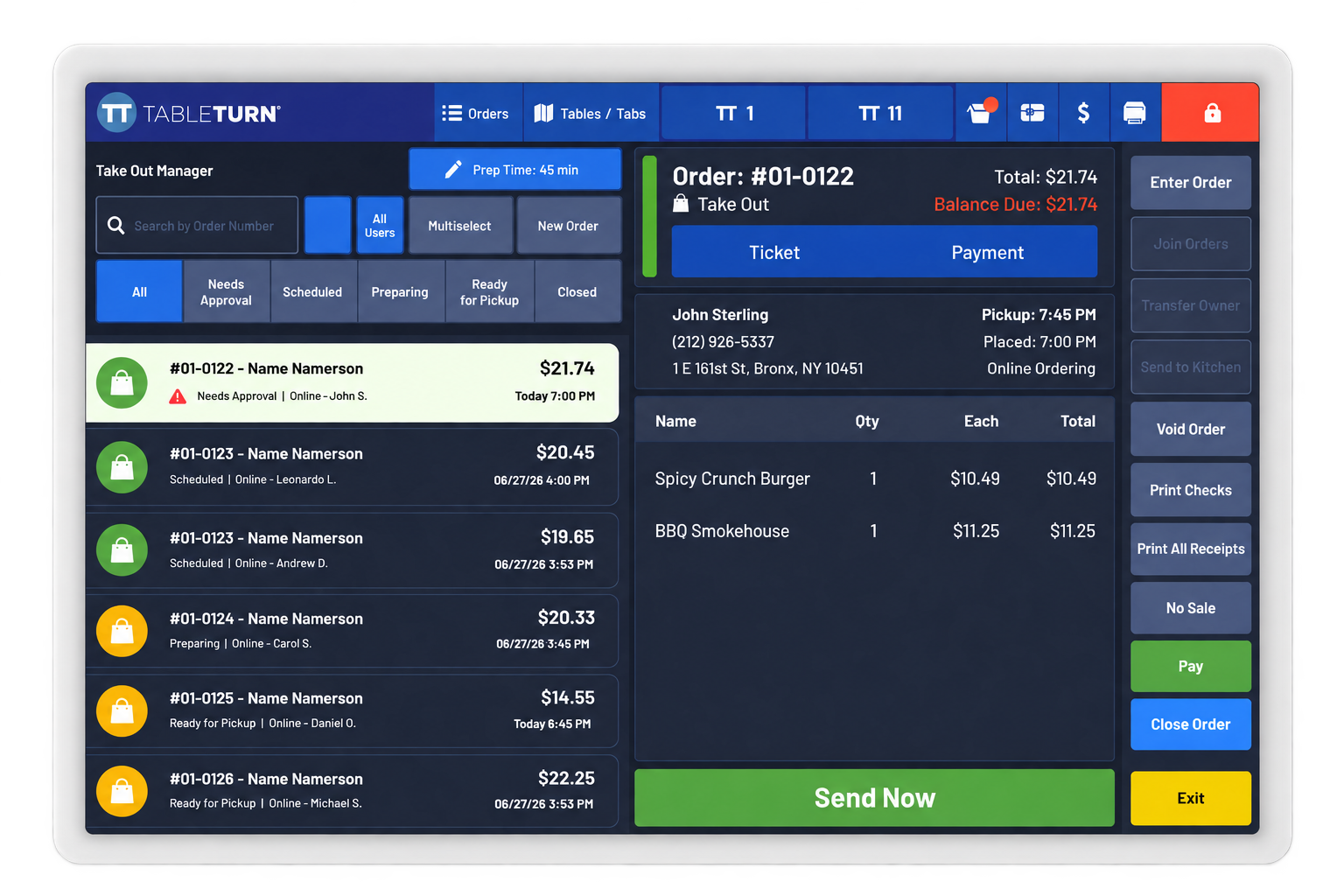
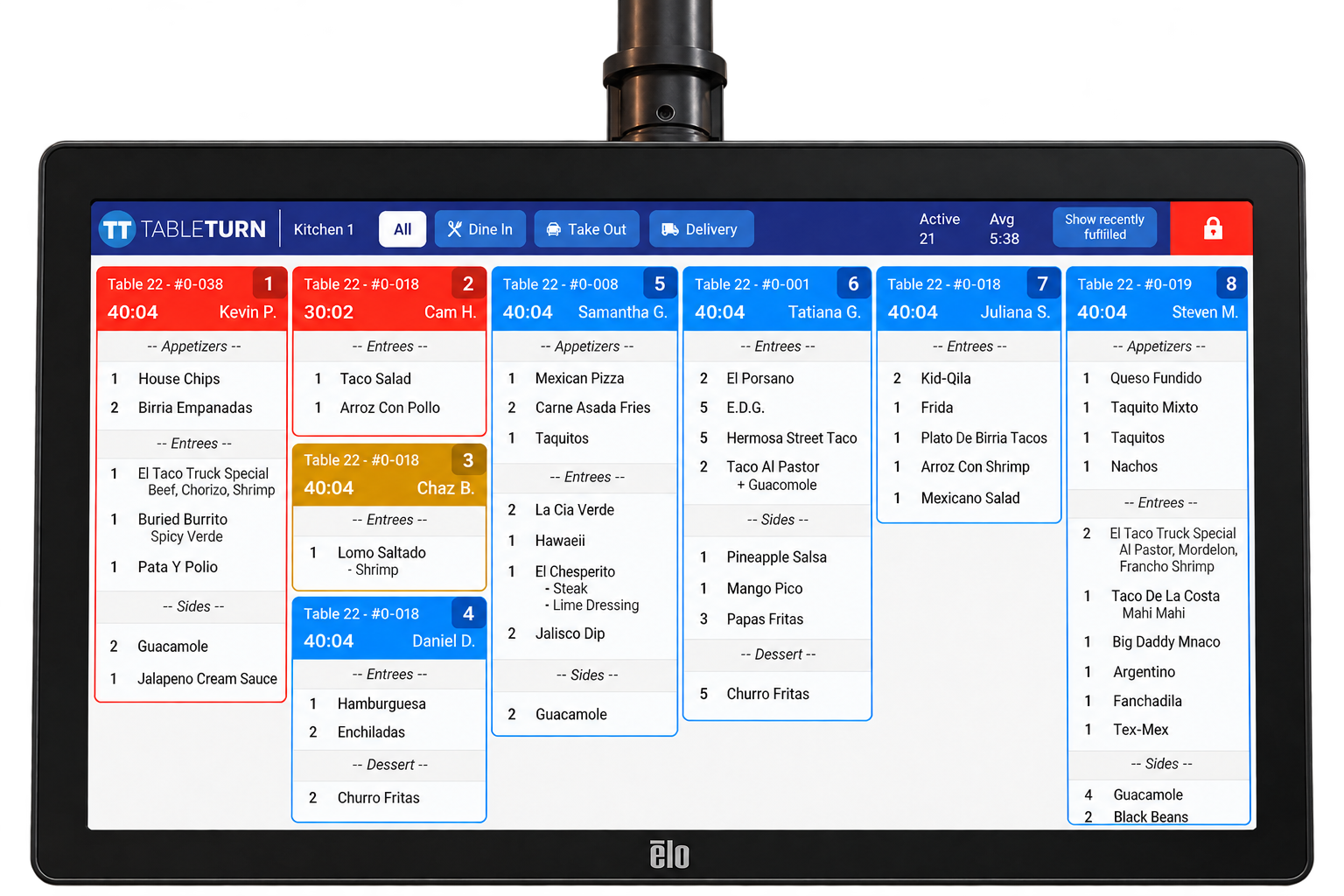
TableTurn connects front-of-house ordering directly with kitchen screens and printers so each station sees the information it needs.
Route
Send each order item to the correct kitchen station automatically.
Prepare
Turn a screen into a live kitchen station showing active orders and timing.
Expo
Give the expo a clear view of orders ready to be assembled and run.
Recall
Recall and re-fire orders without leaving the kitchen workflow.
Let the Guest Order Where It Makes Sense
Extend the same restaurant menu beyond the register to first-party online ordering and table-based QR ordering.
Online Pickup Ordering
Guests can place orders from the restaurant's own online menu without relying entirely on third-party marketplaces.
Table QR Ordering
Each table can have its own QR code so guest orders arrive already associated with the correct table.
Automated Takeout Notifications
Send customers a text when their takeout order is ready for pickup.
Kitchen Integration
Digital orders flow into the same restaurant kitchen workflow rather than becoming a separate operational process.
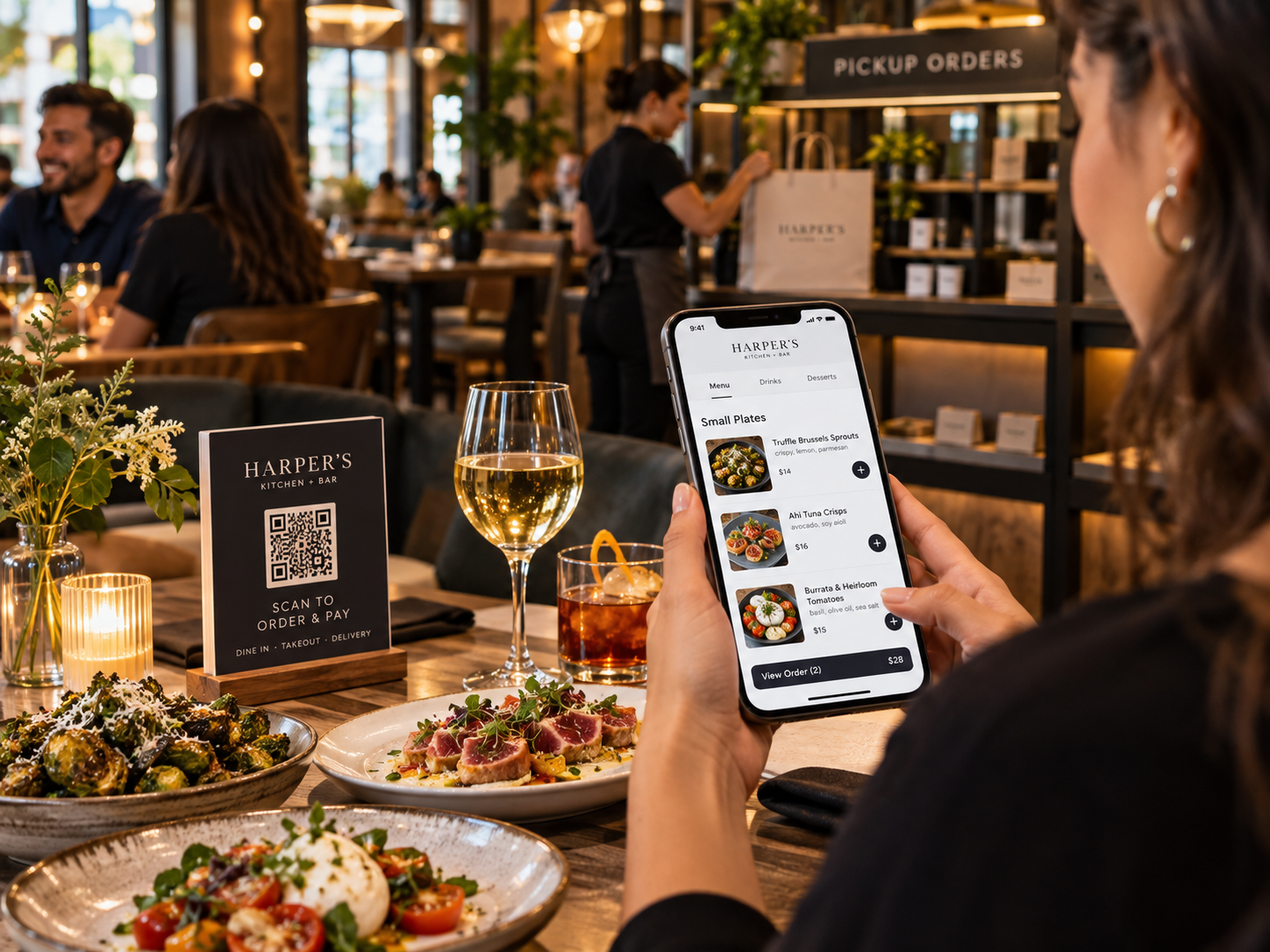
Keep Guests Coming Back — and Know What the Restaurant Is Actually Making
TableTurn brings guest-retention tools and deeper restaurant-management reporting together in one platform.
Keep Guests Coming Back
Gift Cards
Sell and redeem digital gift cards within the restaurant ecosystem.
Loyalty
Use a simple digital punch-card program tied to the guest.
Review Requests
Ask guests for feedback after the transaction and help turn positive experiences into reviews.
Know What the Restaurant Is Actually Making
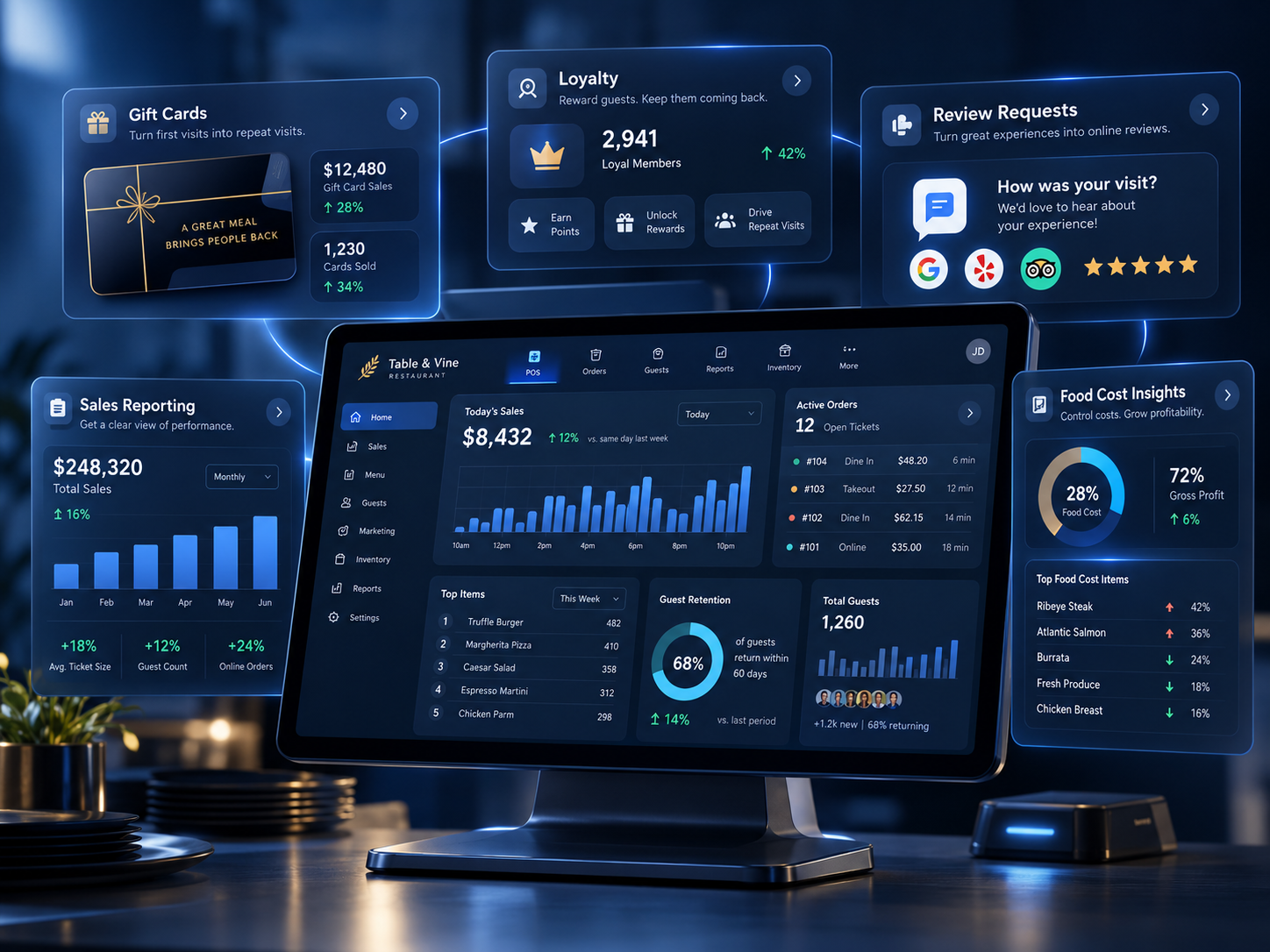
Review restaurant sales and performance information across service periods.
Track food cost alongside sales to understand what the kitchen is actually spending.
Cost out recipes so menu pricing reflects the true expense of each dish.
See which items are driving margin and which are quietly eroding it.
Payments and Devices That Follow the Workflow
TableTurn connects integrated payments to the order and runs across supported tablets, laptops and screens serving different roles.
Keep Every Payment Connected to the Order
Chip, Tap & Swipe
Accept contactless, chip and swipe payments from the same restaurant workflow.
Flexible Guest Checkout
Handheld payment devices and guest-facing checkout options allow guests to complete payment more naturally without requiring staff to hover tableside while they finish the transaction.
Dual Pricing & Surcharge
Support dual pricing and surcharge configurations where appropriate for the business.
Integrated Tips
Keep tip reporting and reconciliation connected to the transaction.
Offline Operation
Keep transactions moving during internet outages and reconcile activity when connectivity returns.
Use the Right Screen for the Right Job
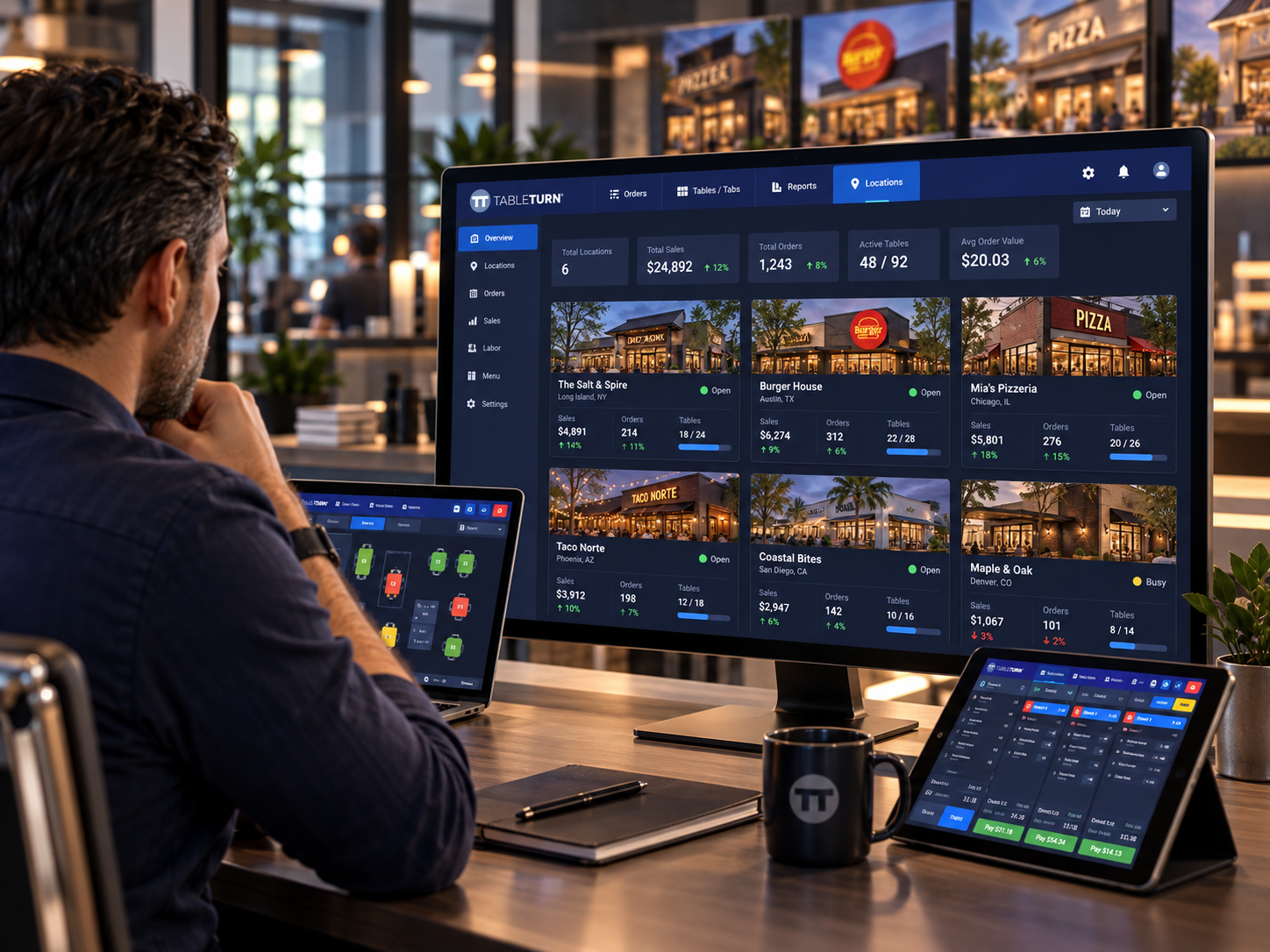
Run front-of-house ordering.
Turn a screen into a kitchen station.
Give guests a dedicated transaction-facing display.
Access menus, reports and restaurant settings from a computer.
Built to Grow Without Starting Over
TableTurn scales from a single restaurant to a multi-location operation while keeping menus, reporting and configuration centralized.
They Switched POS Systems One Week Before Memorial Day — and Opened the Next Day With No Downtime
La Cucina Sul Mare made the move to TableTurn immediately before one of Cape Cod's busiest weekends. Their customer story documents an overnight installation, a smooth first shift, and a server who reportedly didn't realize the restaurant had changed POS systems.
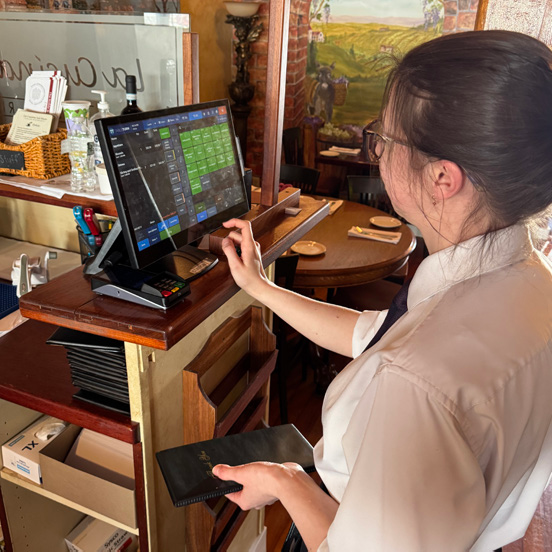
La Cucina Sul Mare • Falmouth, MA
Live TableTurn POS terminal in full dinner service
Switching from Toast before Memorial Day
La Cucina had experience with multiple POS platforms, including Toast. They needed a change ahead of one of Cape Cod's busiest weekends.
Installed overnight — opened the next morning
According to their customer story, TableTurn was installed overnight with no reported downtime, and the restaurant opened the following morning.
“Did Toast do an update?”
A server began her shift ringing orders on TableTurn and reportedly asked management whether Toast had simply received an update — the workflow felt so familiar she hadn't recognized the platform had changed.
On par or faster, with lower reported costs
La Cucina reported meaningful savings on processing and software add-on costs, faster menu updates, and additional guest-service capabilities — with savings reinvested into a new rooftop dining area.
“It hasn't slowed us down at all. If anything, it's on par or faster than Toast.”
— Winslow Cilfone, La Cucina Sul Mare
The Best Fit Depends on How the Restaurant Actually Operates
TableTurn may be a strong fit — but not every restaurant needs the same system. PPT Southeast evaluates your service model, kitchen workflow, payments, locations and operational requirements before recommending a platform. If another platform fits better, we'll tell you that too.
Technology
Match the platform and configuration to the way the restaurant actually operates.
Payments
Structure the payment environment around the business and selected POS setup.
Growth
Account for multi-location and operational needs as the restaurant scales.
Support
Remain an accountable point of contact after implementation.
See How TableTurn Could Work for Your Restaurant
Tell us a little about your operation and we'll help determine whether this platform and payment setup fit the way your restaurant actually works.