
Clover Kitchen Display System
Real-time kitchen order management for compatible Clover restaurant setups
Replace paper tickets with a digital kitchen workflow that helps your staff stay organized, improve speed of service, and track prep performance in real time.
- Replace paper tickets with digital order flow
- Track prep times and fulfillment in real time
- Consolidate on-premise and online orders
- Built for commercial kitchen environments
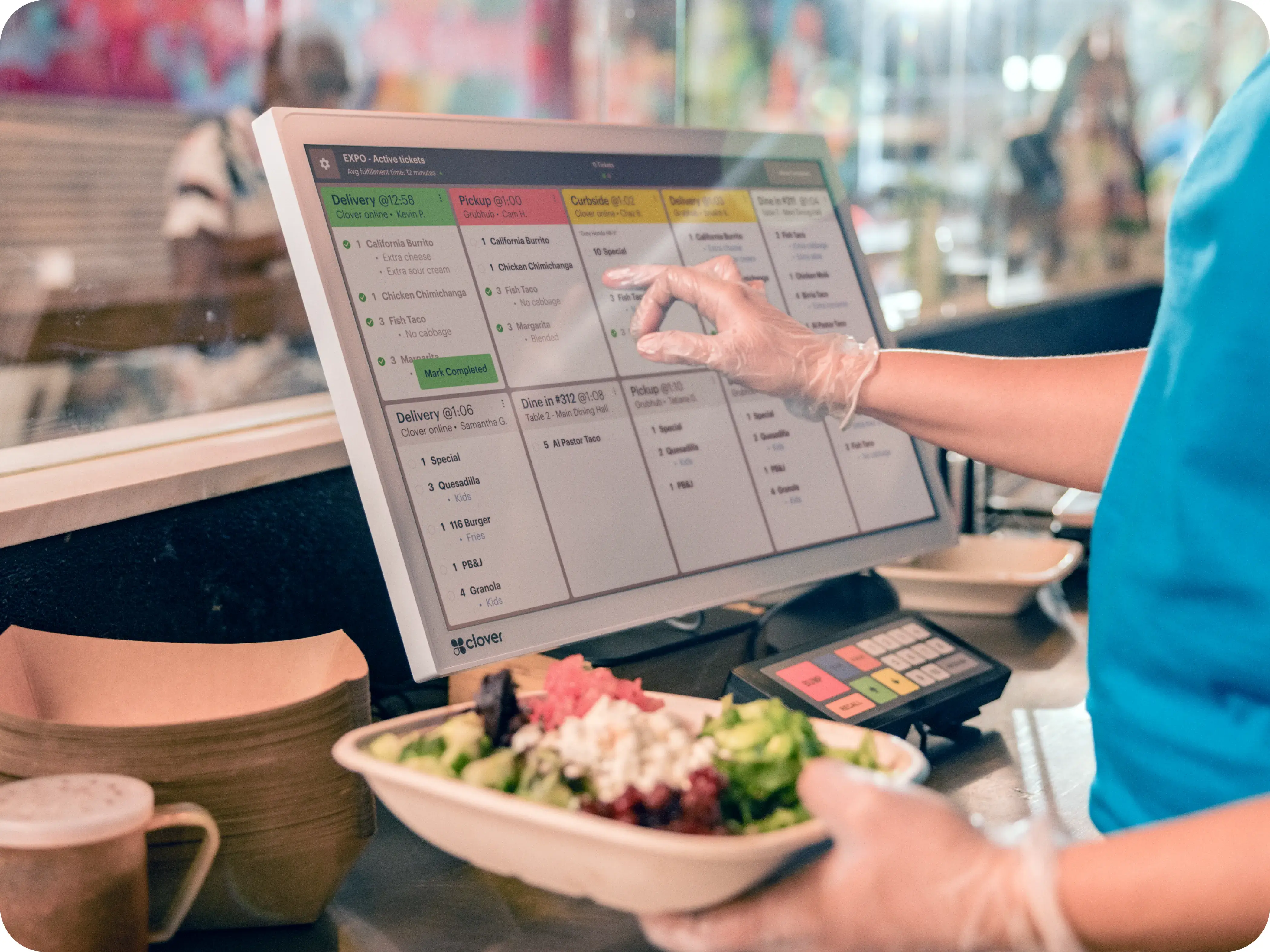
Keep Kitchen Operations Running Smoothly
Clover KDS gives your kitchen team a clearer digital workflow so orders stay visible, organized, and moving from preparation through fulfillment.
- Speed up service while keeping orders accurate
- Give staff a clear digital workflow instead of paper clutter
- Track ticket timing and kitchen performance in real time
- Keep on-premise and supported online orders organized on one screen
- Reduce confusion during rush periods and improve consistency
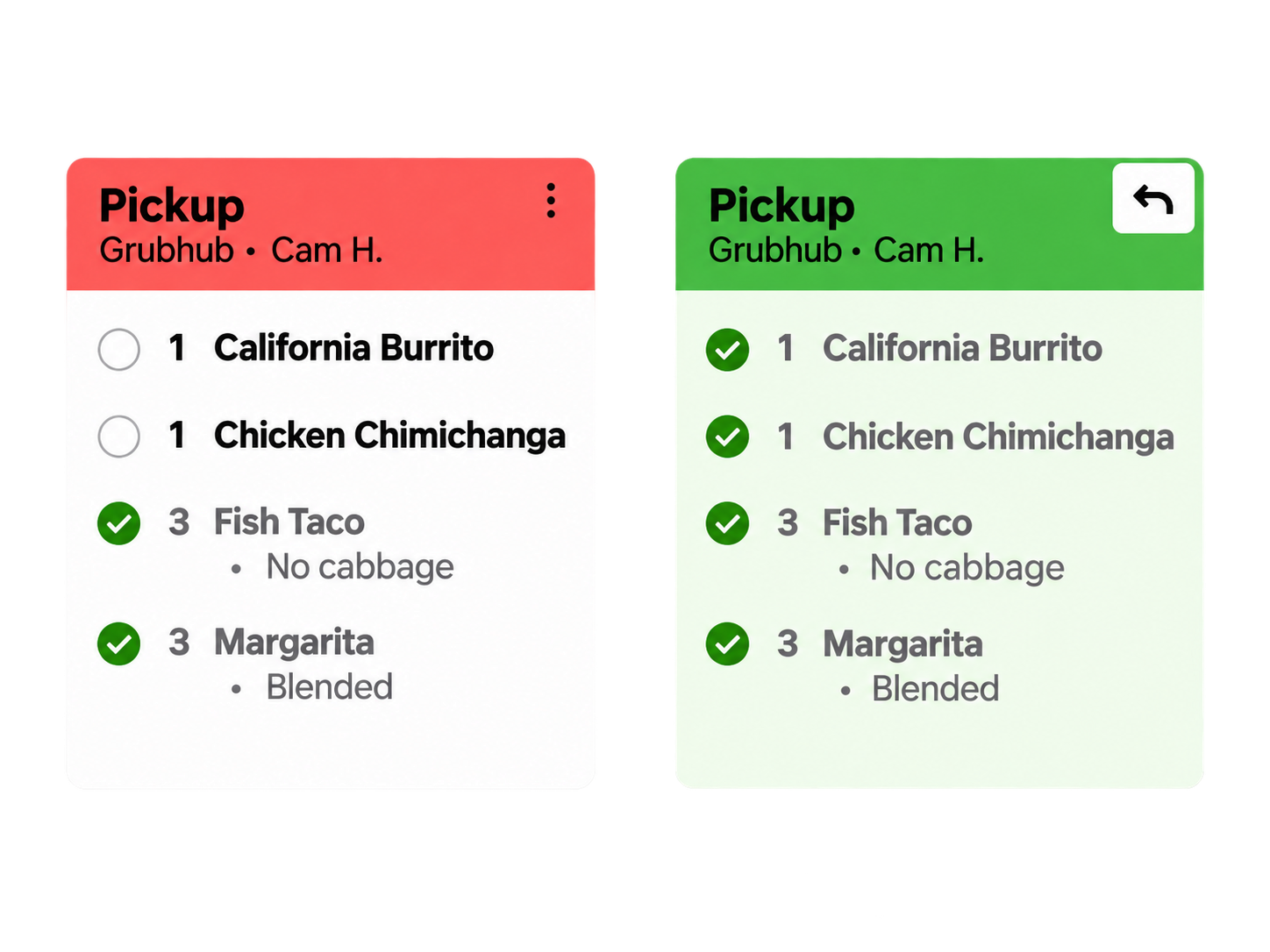
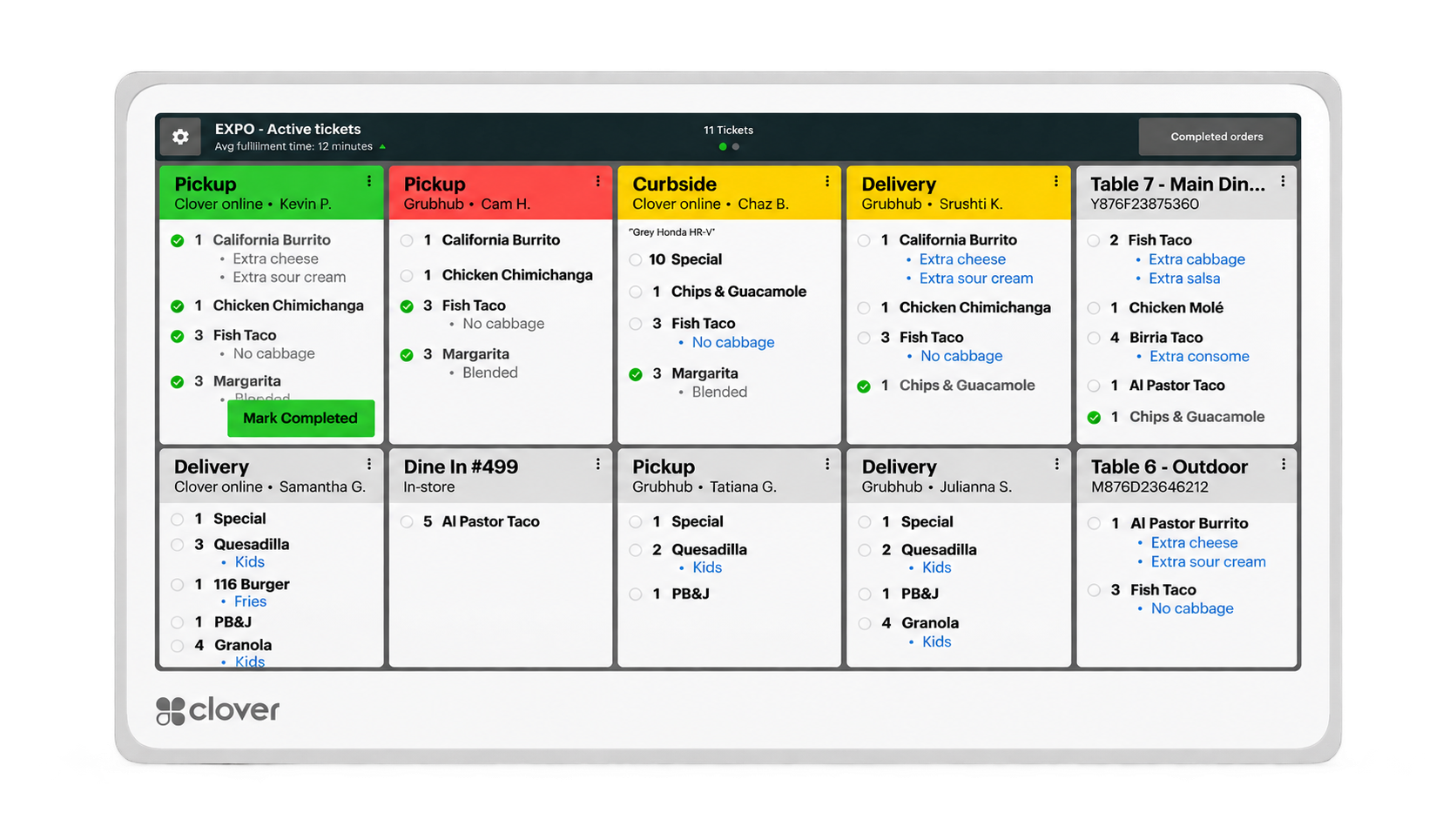
A Digital Workflow That Keeps the Kitchen Organized.
Digital Order Tickets
Replace paper tickets with a clear digital display that shows incoming orders in real time, grouped by course, course timing, and order status.
Prep Time Tracking
Track how long each ticket has been active so the kitchen can prioritize orders and respond before service times slip.
Order Consolidation
Bring on-premise orders and supported online ordering channels into a single kitchen display instead of separate ticket streams.
Audio Order Alerts
Bi-directional speakers provide audible alerts when new orders arrive so staff can focus on prep without watching the screen constantly.
Runner Ticket Printing
Send runner tickets to compatible network-connected printers so expediters and runners can route food without crowding the kitchen station.
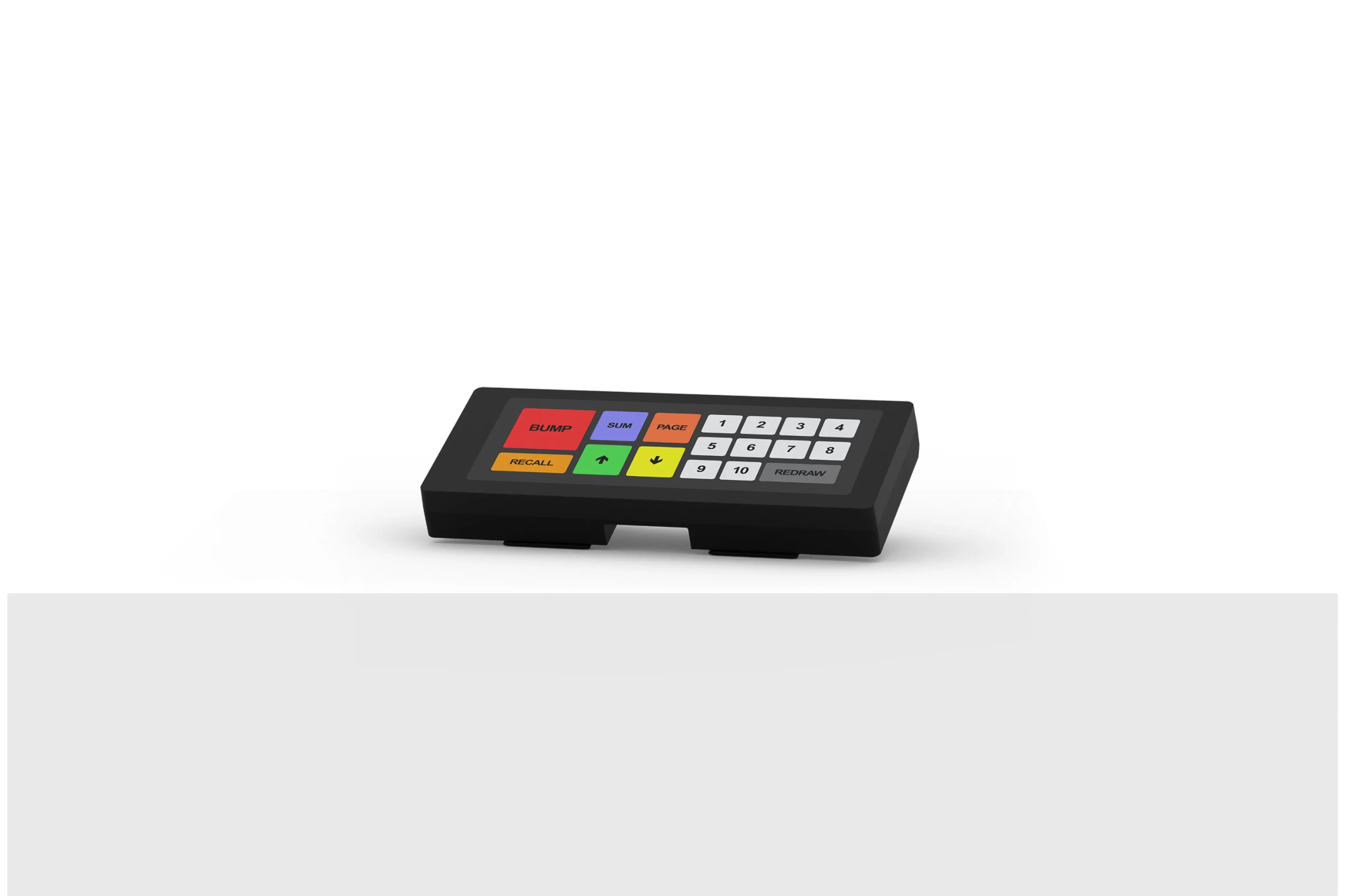
Bump Bar Ready
An optional bump bar accessory lets kitchen staff advance, recall, and bump tickets without touching the touchscreen.
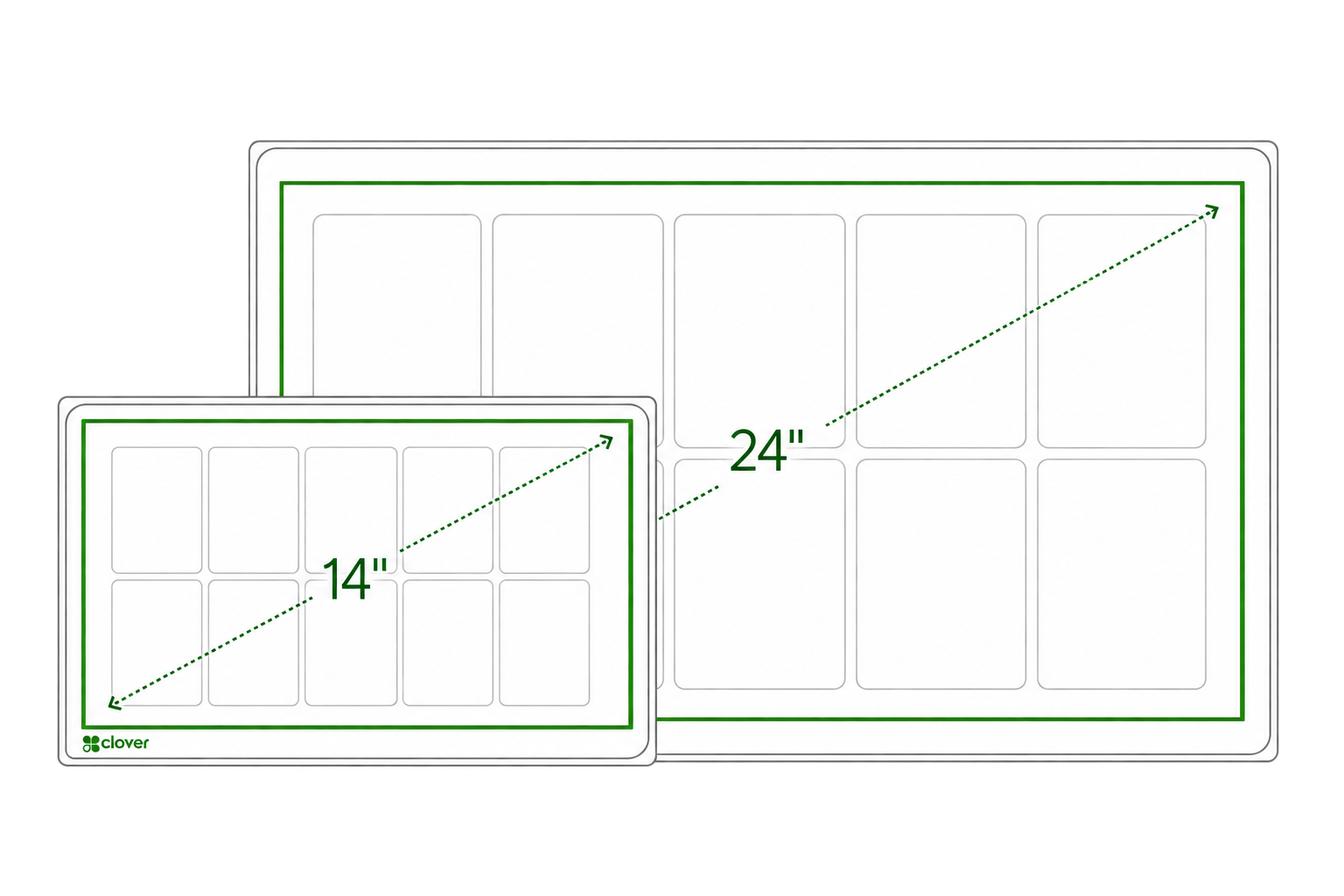
Choose the Display That Fits Your Kitchen.
Clover KDS is available in two sizes so the display can match the volume and layout of the kitchen rather than forcing a one-size-fits-all install.
KDS 24-Inch
- Larger display for higher-volume kitchens
- Good for overhead or wall-mounted visibility
- Helps keep multiple active tickets visible at once
KDS 14-Inch
- Compact footprint for tighter kitchens
- Good for smaller prep stations or limited-space installs
- Works well for countertop or wall-mounted use
Core Specifications
Hardware, connectivity and feature availability may vary by configuration and service plan. KDS requires a compatible Clover restaurant POS environment.
A Bump Bar for Touch-Free Ticket Control.
An optional bump bar accessory lets kitchen staff advance, recall, and bump tickets without touching the touchscreen — useful in busy or fast-paced kitchens where hands are frequently wet, gloved, or occupied.
Bump & Recall Without the Touchscreen
Advance and recall tickets using physical buttons instead of tapping the display.
Keeps the Display Clean
Reduces repeated touchscreen contact during high-volume prep periods.
The bump bar is an optional accessory, not a requirement for KDS operation.
How Clover KDS Compares to Paper Tickets and Kitchen Printers.
| Capability | Clover KDS | Paper Tickets | Kitchen Printers |
|---|---|---|---|
| Order Visibility | Real-time digital display with color-coded status and course timing | Static tickets that can be lost, smudged, or piled up | Printed tickets; visible only until moved or discarded |
| Prep Time Tracking | Active timers on every ticket with visual alerts | No built-in timing — staff must watch tickets manually | No active timing — relies on kitchen staff memory |
| Online Order Consolidation | On-premise and supported online orders on one screen | Online orders usually print separately on a different printer | Online orders print on a dedicated printer, not consolidated |
| Order Updates & Recall | Recall bumped tickets and view order modifications instantly | Modifications require a new ticket; recalled tickets are gone | Modifications print a new ticket; old ticket may be discarded |
| Kitchen Clutter | Clean digital screen, no paper waste | Constant paper waste and ticket roll replacement | Moderate paper waste and ribbon/roll replacement |
Order Visibility
Prep Time Tracking
Online Order Consolidation
Order Updates & Recall
Kitchen Clutter
See If Clover KDS Fits Your Kitchen Workflow.
Clover KDS works best as part of a compatible Clover restaurant setup. We'll help you evaluate whether a kitchen display system makes sense for your operation and which configuration fits your kitchen best.
Frequently Asked Questions
Schedule a Clover Consultation
The calendar is for merchants who are ready to choose a time to discuss their business, Clover configuration, processing, software needs, placement eligibility or next steps.
No pressure. No obligation. Just a conversation about your kitchen.