
Clover Kiosk
Give Guests More Control Without Slowing Down the Counter
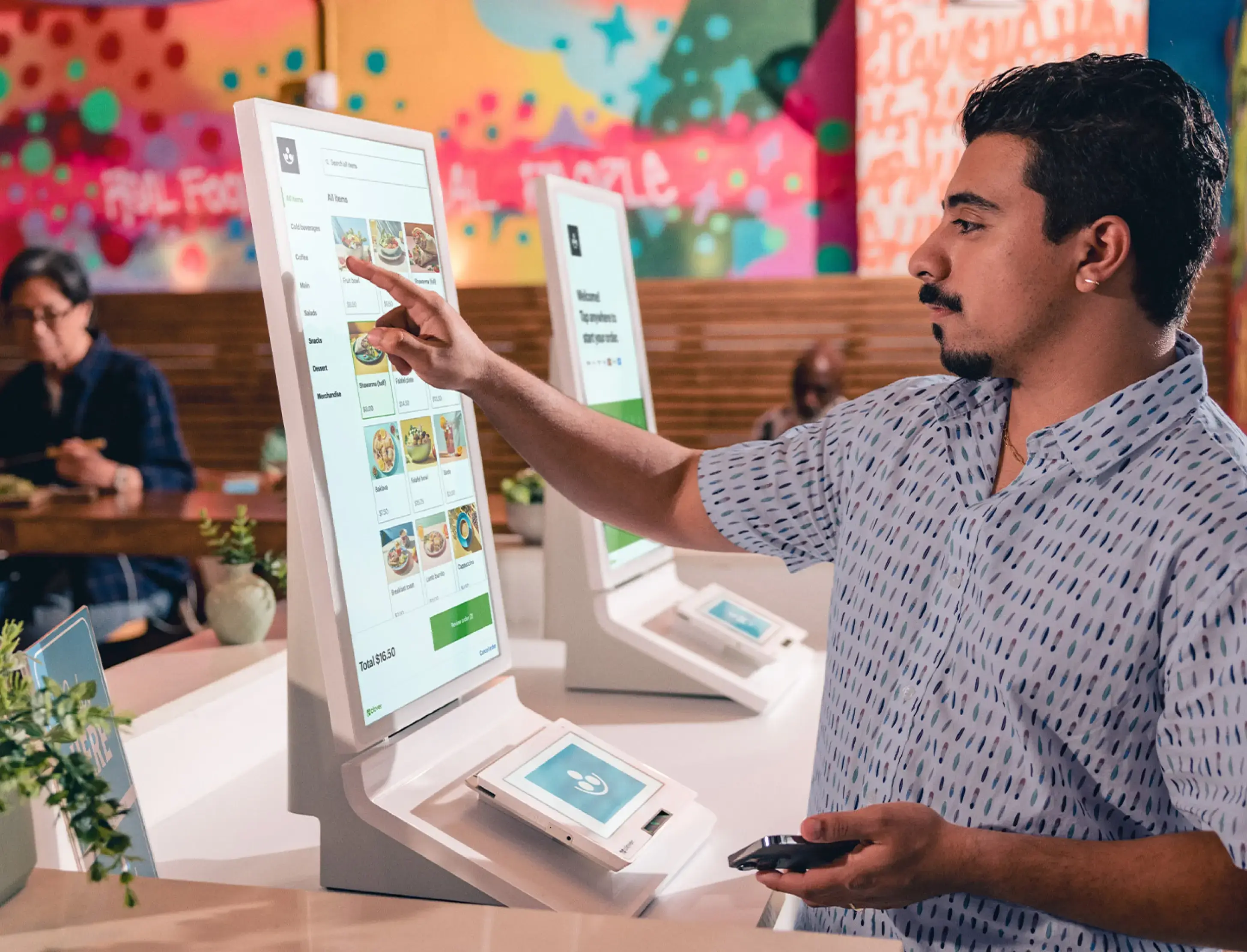
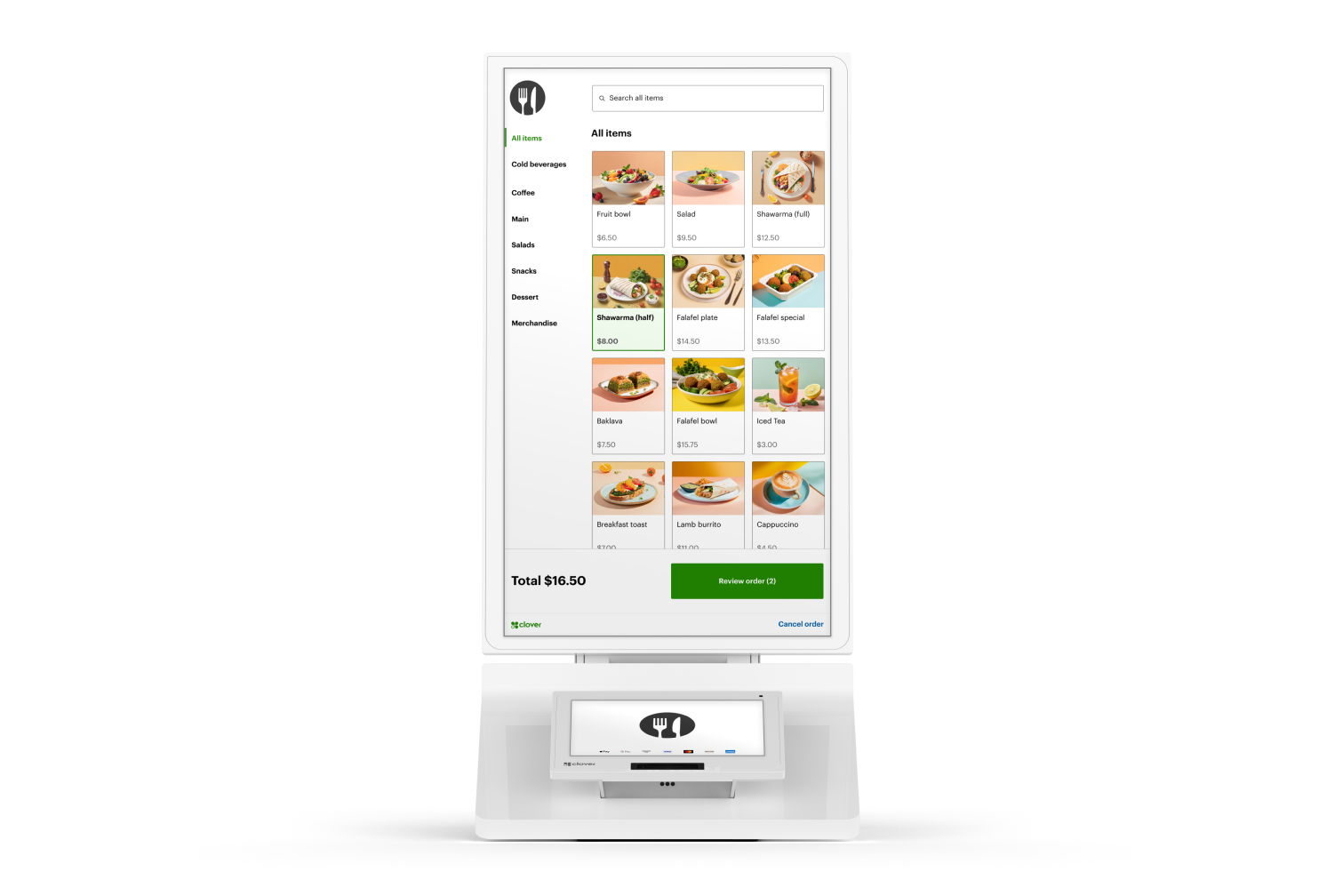
Give customers a dedicated place to browse the menu, customize their order and complete payment themselves. Clover Kiosk brings ordering and payment together in one restaurant-focused self-service station while staying connected to the broader Clover workflow.
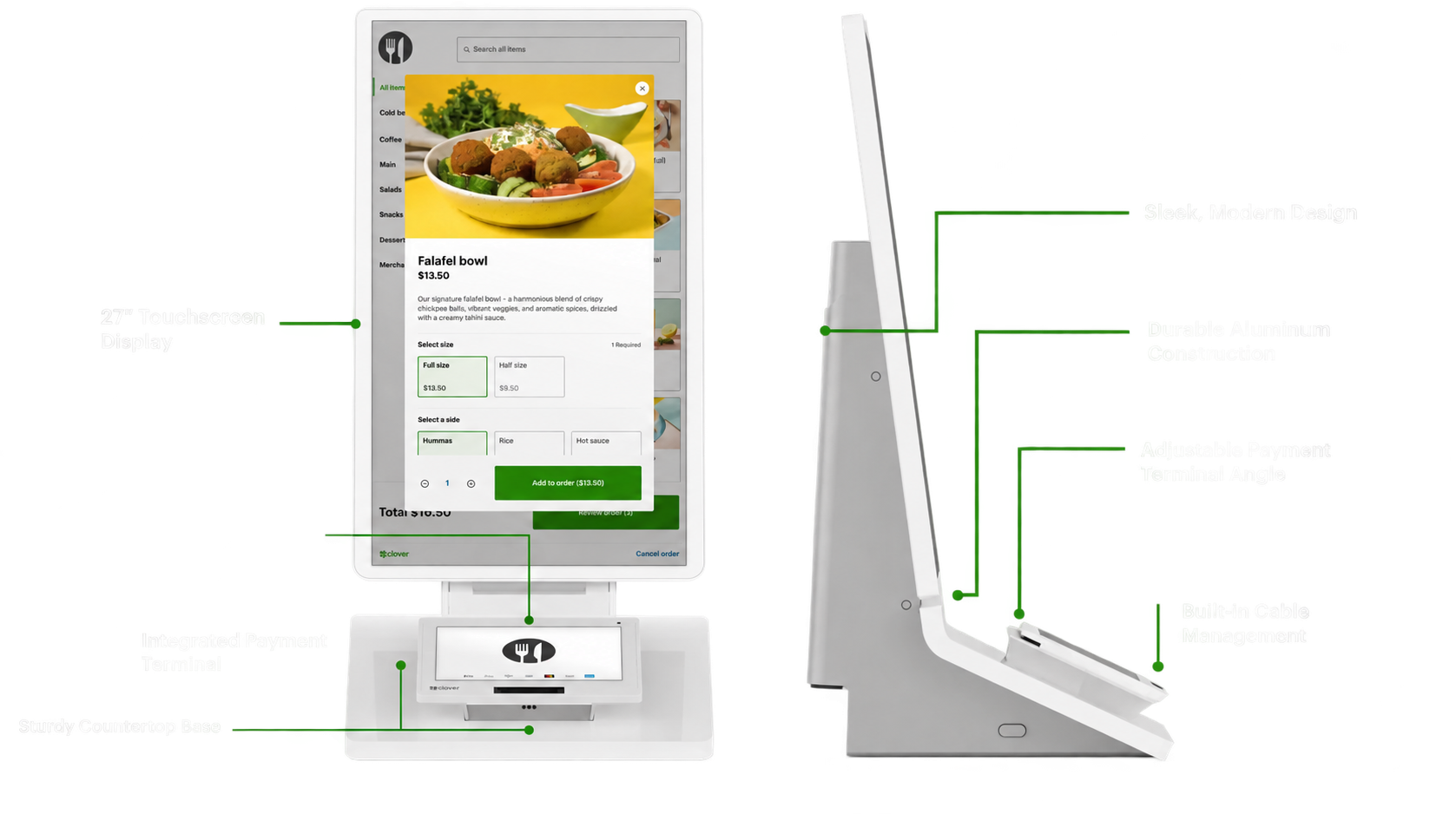
- 24-inch customer ordering touchscreen
- Integrated 8-inch payment touchscreen
- Built-in receipt printer
- Designed for restaurant self-ordering
Let Guests Order at Their Own Pace.
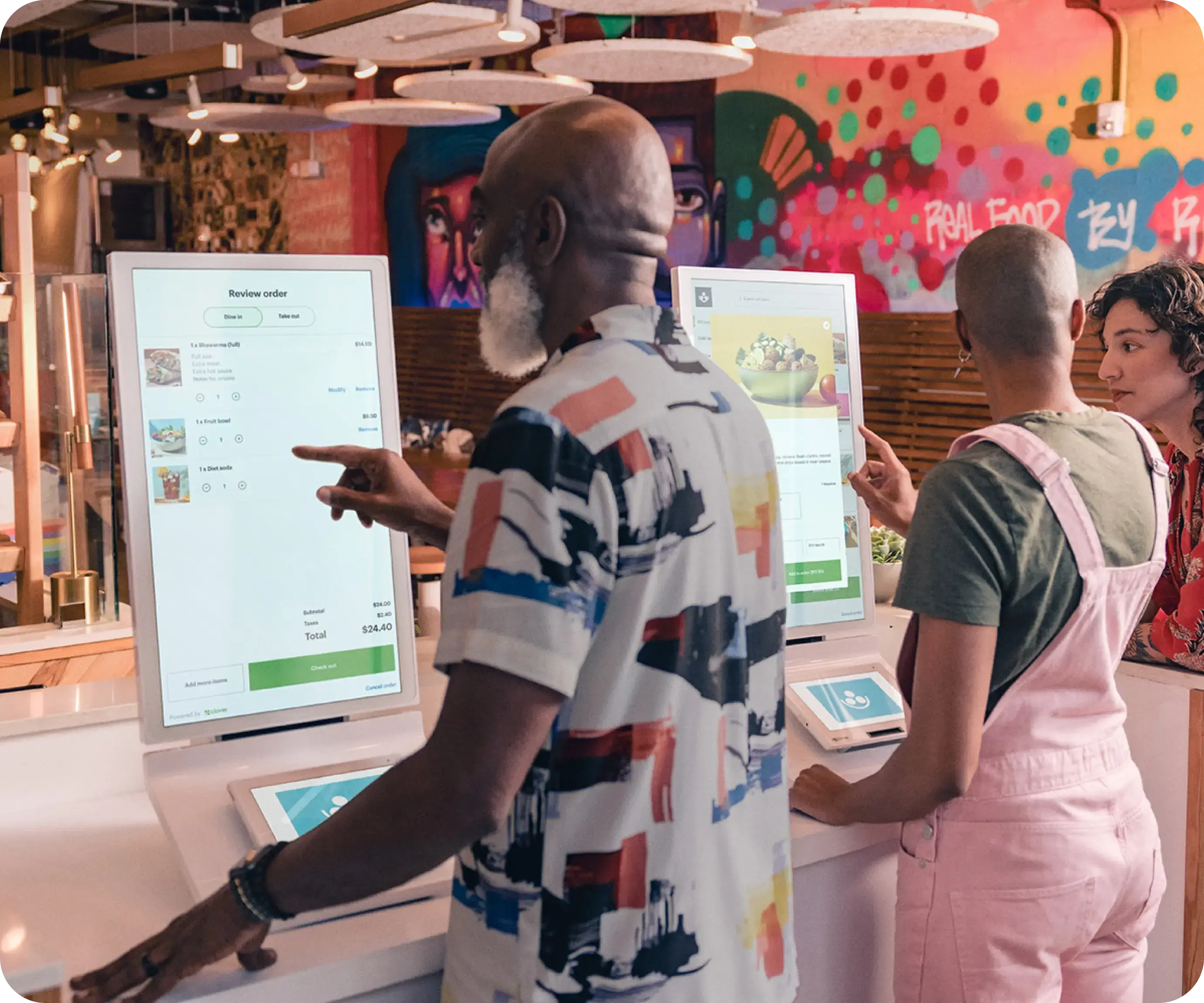
Customers can browse menu items, review choices, customize orders and complete checkout without requiring an employee to enter every order.
Keep the Counter Moving
Add another ordering point during busy periods without simply adding another staffed register.
Give Guests Time to Browse
Customers can explore menu choices and modifiers without feeling rushed at the counter.
Create More Consistent Orders
Guests enter their own selections and modifiers, reducing the number of details staff have to manually re-enter.
Workflow benefits such as shorter wait times, larger tickets or fewer errors are potential outcomes rather than guarantees.
Self-Service Without Creating a Separate System.
Clover Kiosk is designed to work within the Clover restaurant ecosystem. It can pull menu information from your Clover POS so items and pricing remain aligned, while completed orders can flow into the restaurant's normal fulfillment process.
Menu Sync
Pull menu information from the connected Clover POS environment.
Kitchen Workflow
Kiosk orders can flow to Clover Kitchen Display System or supported kitchen printing workflows.
One Connected Environment
Add self-ordering without creating an entirely separate ordering platform for staff to manage.
Designed Around the Guest.
Easy to Navigate
A large touchscreen gives customers room to browse and build an order.
More Time to Explore
Guests can move through the menu at their own pace.
Order Customization
Let customers choose available options and modifiers directly on the kiosk.
Payment at the Kiosk
Customers can complete supported card and contactless payments at the integrated payment display.
From Self-Ordering to Fulfillment.
Browse
Guest explores the restaurant menu.
Customize & Order
Guest selects items and available modifiers.
Pay
Payment is completed using the integrated Clover payment terminal.
Fulfill
The order enters the restaurant workflow and can appear on Clover KDS or route through supported kitchen printing.
Browse
Guest explores the restaurant menu.
Customize & Order
Guest selects items and available modifiers.
Pay
Payment is completed using the integrated Clover payment terminal.
Fulfill
The order enters the restaurant workflow and can appear on Clover KDS or route through supported kitchen printing.
Built to Fit Into Your Existing Clover Workflow.
Guided Setup
Clover provides guided configuration for menu presentation and ordering options.
Connected Menu
The Kiosk works with the restaurant's Clover POS menu rather than requiring a completely separate catalog.
Connected Fulfillment
Orders can enter the same kitchen workflow used by counter orders.
Clover Kiosk Hardware at a Glance.
Hardware, connectivity and feature availability may vary by configuration and service plan. Kiosk requires a compatible Clover restaurant environment.
One Kiosk. Multiple Installation Options.
Floor Stand
A freestanding configuration for dedicated self-ordering areas. Clover's stand offers different height settings to help support accessible placement.
Wall Mounted
Useful where floor or counter space is limited. Supports compatible 100 mm VESA mounting.
Countertop
Place the Kiosk on an appropriate counter for a compact self-service station.
Where Clover Kiosk Makes the Most Sense.
It is particularly relevant for:
- Quick-service restaurants
- Fast-casual concepts
- Cafes and counter-service restaurants
- Restaurants experiencing concentrated ordering rushes
- Concepts that want an additional self-service ordering channel
A kiosk isn't automatically the right answer for every restaurant. We'll look at your volume, service model, counter flow, menu complexity and kitchen workflow before recommending where — or whether — self-ordering belongs in your setup.
Let Customers Order Up Front. Keep the Kitchen Organized Behind the Scenes.
Pair Clover Kiosk with Clover Kitchen Display System to create a connected self-ordering and kitchen workflow. Guests place and pay for their orders at the kiosk while kitchen staff receives the information needed to prepare and fulfill them.
Clover Kiosk — Frequently Asked Questions
Could Self-Ordering Improve Your Restaurant Workflow?
Let's look at how customers order, how your counter operates and how tickets reach the kitchen. If Clover Kiosk makes sense, we'll help build it into the right overall configuration.
Schedule a Clover Consultation
The calendar is for merchants who are ready to choose a time to discuss their business, Clover configuration, processing, software needs, placement eligibility or next steps.
No pressure. No obligation. Just a conversation about your restaurant.